The platform
The whole operation, in one system.
Four deep layers — mapping, dispatch, safety, and billing — plus fleet, warehouse, weather, planning, customer portals, and command, all sharing one record of the work, so they always agree.
One map. Every module draws on it.
Swipe through and watchScroll and watch the same project gain a layer at a time. Nothing here is a separate app.
The plant, mapped
Import the design or draw it. Poles, strand, splice cases, pedestals and drops become real points and lines with their own symbols.
Work orders on the assets
Every ticket sits on the pole or address it belongs to, colored by status, so a glance tells you what is waiting, moving and done.
Crews where they are
Dispatch sees each truck and its route for the day, and moves work to the closest crew with a tap.
Weather and safety on the same map
NWS warnings and lightning show up over the work they affect, and every ticket carries the site briefing the crew acknowledged.
Done work becomes billing
As tickets close, their units roll into the week’s production and the invoice, priced from your rate card.
Field Operations
Dispatch that lives on the map, not in a spreadsheet.
Every ticket is pinned where the work is. Assign the closest crew, track it through completion, and watch route phases — strand, lash, splice, drops — progress in order.
- Work orders pinned to real infrastructure
- Staged aerial construction phase tracking
- 811 locate aging and temp-drop conversion
- Route-optimized stop order for the day
Map
Safety & Compliance
The JSA your crew actually reads.
Work-type-specific hazards and PPE, reviewed before the first ladder goes up. Incidents, toolbox talks, and TRIR live in the same system as the work itself — audit-ready without a filing cabinet.
- Phase-aware hazards — lash risks on lash days
- Site safety history follows the address
- TRIR scorecard from real clock-in hours
- Incident reports and toolbox talks on record
JSA
Business Operations
Units logged at the pole become the invoice.
Techs log footage and units as they complete the job. Billing, payroll timesheets, and production reporting come straight from that record — no month-end reconstruction.
- Your rate card, applied automatically
- Units changed after billing? A supplemental invoice, not a redo
- Payroll-ready timesheet export
- Customer texts, feedback, and response times
Billing
GIS & Mapping
Real GIS underneath, not a picture of a map.
Poles, strand, splice closures, drops, handholes — drawn, labeled, and photographed in the field on live geospatial data. Multi-utility by design: fiber, water, gas, electric, storm, and roads on one platform.
- Distinct icons and route styles per asset type
- As-built review and redline workflows
- CIP & BEAD grant-build tracking
- Offline-capable in rural dead zones
Work Orders
Lineshot camera
The photo carries its own proof.
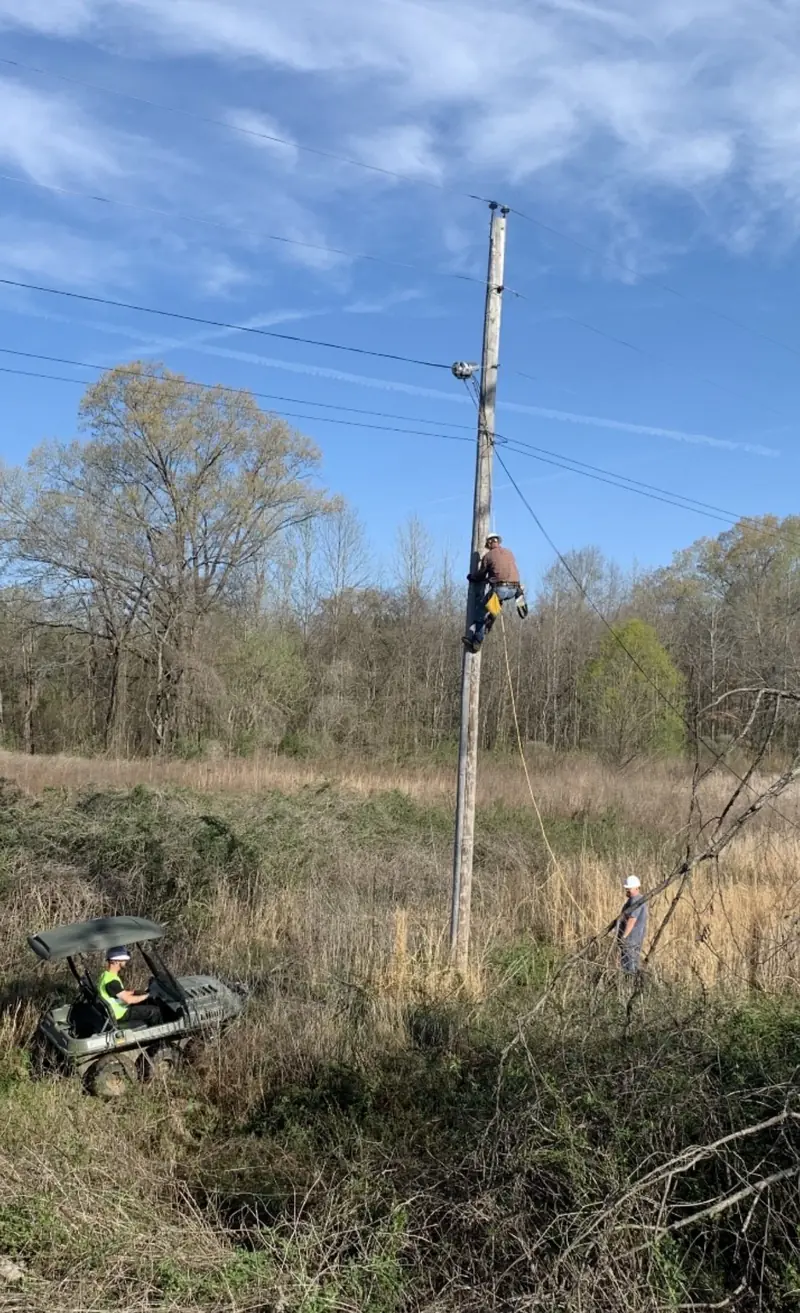
Every Lineshot burns the date and time, GPS coordinates, road and county onto the photo, along with the job line, the tech's name, a map thumbnail, your logo and, when the phone has one, a compass heading. Months later, nobody has to take anyone's word for where or when it was shot.
- Burned in when the photo is taken, not typed in later
- Required photo slots per client, so nothing gets missed
- No signal? Photos wait on the phone and upload when it comes back
- Every photo lands on the ticket and in the evidence pack that goes with the invoice
 Sample data
The same job, before and after.
Drag the handle. On the left, the staking sheet and the notes in the margin. On the right, the same five poles in LineMaps, with status, photos and the open question answered on the record.
And the rest of the operation
Six more modules, same live record.
Fleet & Equipment
DVIRs out of the glovebox, defects out of the shadows.
Pre-trip inspections on every truck tied to the vehicle record — defects flagged where the shop and dispatch both see them, assignments showing who is driving what, equipment tracked alongside.
- DVIR inspections with full history per unit
- Defect flags visible beyond the cab
- Vehicle and equipment assignment tracking
Inspections
Warehouse & Materials
Scan it out, and the job it went to is on the record.
Barcode-scanned issue to work orders, cable reels tracked by remaining footage, purchase orders, cycle counts, and valuation — the yard stops being a mystery between annual counts.
- Barcode scanning at issue and receipt
- Reels tracked by footage, not guesswork
- POs, cycle counts, reorder points, valuation
Warehouse
Weather Intelligence
The weather that cost you the day, on the ticket it cost.
NWS warnings on the map, a per-work-order weather snapshot, historical day lookup for any site, and delays logged with the conditions attached — so the delay claim writes itself from the record.
- NWS warnings overlay, live
- Weather snapshot on each work order
- Delay log with conditions + historical lookup
Weather
Planning & Estimating Toolkit
Fifteen tools. One crew model. Every answer agrees.
Crew run-rate, deadline backsolver, bid margin, overtime vs. extra crew, self-perform vs. sub, cash flow, material burn, standby cost, actual-vs-forecast — all reading one shared crew-and-production model, with AI build recommendations a human approves.
- 15 calculators on one shared engine
- Enter a rate once — every tool agrees
- AI recommendations, human-gated
Plan
Customer Portals
The "when's it done?" call answers itself.
Public tracking, approval, and invoice links driven by actual build state, plus customer texts and response-time tracking — customers watch the build instead of calling about it.
- Tracking, approval, and invoice links — no login
- Customer texts from the record of work
- Response times measured, not guessed
Customer Portal
Dashboards & Command
The whole operation on one screen, from the same record.
Executive dashboards, org analytics, and job profitability pulled straight from the work orders crews close — open work, production vs. plan, safety, unbilled revenue — no Friday spreadsheet ritual.
- Exec dashboards from live work-order data
- Job and org profitability
- Production, safety, and billing in one view
Reports
What the crew sees.
Two everyday moments in the field app: closing out a ticket and dropping a new pin. Big buttons, no typing where a tap will do, and it works with no signal.
Illustrations of the field app with sample data.
See it on your build.
LineMaps goes live December 16, 2026. Join the waitlist to hear first, or tell us what you're running and we'll walk through exactly what LineMaps takes off your plate.